https://jsonplaceholder.typicode.com/posts/
    <script>
        fetch("https://jsonplaceholder.typicode.com/posts/")
        .then((response) => response.json())
        .then((result) => {
            // forEach 또는 for 써서 titleList에 제목 li 넣기

            // for
            for (let i = 0; i < result.length; i++) {
                document.querySelector("#titleList").insertAdjacentHTML(
                    "beforeend",
                    `<li>${result[i].title}</li>`
                );
            }

            // forEach
            result.forEach((value) => {
                const tempLi = document.createElement("li");
                tempLi.innerText = value.title;
                titleList.appendChild(tempLi);
            });
        });
    </script>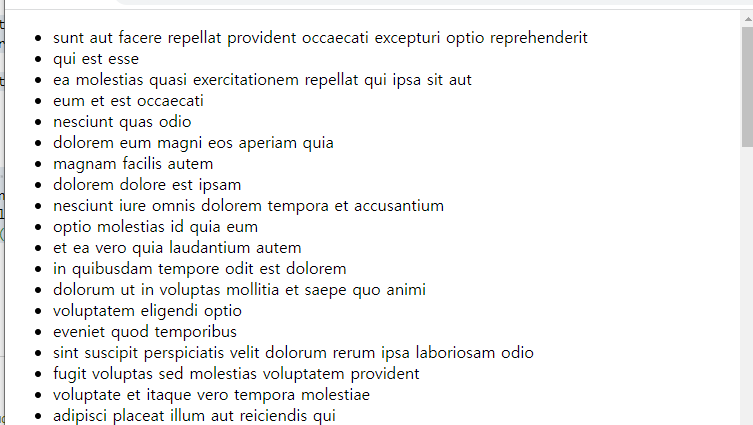
<body>
    <ul id="movieList"></ul>
    <script>
        fetch("http://kobis.or.kr/kobisopenapi/webservice/rest/boxoffice/searchDailyBoxOfficeList.json?key=f5eef3421c602c6cb7ea224104795888&targetDt=20230707")
        .then(r => r.json())
        .then((result) => {
            // console.log(result)
            // console.log(result.boxOfficeResult.dailyBoxOfficeList);
            result.boxOfficeResult.dailyBoxOfficeList.forEach((value) => {
                document.querySelector("#movieList").insertAdjacentHTML(
                    "beforeend",
                    `<li>순위 : ${value.rank} / 제목 : ${value.movieNm}</li>`
                )
            });
        })
    </script>
</body>
'프로그래밍 언어와 기술 > JavaScript' 카테고리의 다른 글
| [JavaScript] fetch (0) | 2023.07.24 |
|---|---|
| [JavaScript] 프로미스 (0) | 2023.07.13 |
| [JavaScript] JSON - fetch() .then()~ (0) | 2023.07.12 |
| [JavaScript] 실습 - 배경이 흰색, 검정색으로 바뀌는 토글버튼 만들기 (0) | 2023.07.12 |
| [JavaScript] localStorage (0) | 2023.07.12 |