태그
    <!-- 태그도 객체다 -->
    <h1 id="first"></h1>

    <script>
        const firstTag = document.querySelector("#first");
        // 태그의 속성을 객체의 프로퍼티처럼 가져올 수 있다
        console.log(firstTag.id);
    </script>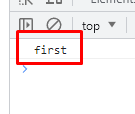
    <script>
        firstTag.id = "next";
        firstTag.className = "my-h1";
    </script>
- 태그에 없었던 속성도 만들어서 넣어 줄 수 있다
- className은 class내용 전체
- classList는 class내용을 띄어쓰기 기준으로 리스트
    <script>
        firstTag.classList.add("blue");
    </script>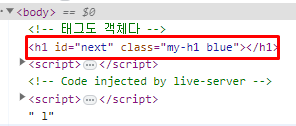
onclick
- 태그가 가지고 있는 메소드를 정의 할 수 있다
    <h1 id="first">첫번째</h1>

    <script>
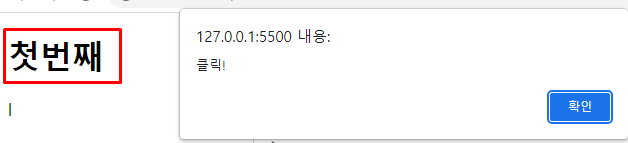
        firstTag.onclick = function(){
            alert("클릭!");
        }
    </script>
새로운 변수
- 기존 태그에 없던 변수도 만들 수 있다
- 기존 태그에 없던 함수도 만들 수 있다
    <script>
        firstTag.asdf = "새로운 변수";
        firstTag.hello = ()=>{
            alert("안녕하세요.");
        }

        console.log(firstTag.asdf);
        firstTag.hello();
    </script>
* 기존 태그에 없던 변수는 위의 방식보다 아래 방식으로 하는게 낫다
- firstTag.asdf = "새로운 변수"; 는 작동이 안되는 브라우저가 있을 수 있다.
firstTag.setAttribute("asdf", "새로운 변수");- setAttributye는 key문자열 / value문자열 이기 때문에 아래 코드는 작동이 안된다
        firstTag.setAttribute("hello",()=>{
            alert("안녕하세요.");
});'프로그래밍 언어와 기술 > JavaScript' 카테고리의 다른 글
| [JavaScript] 스타일 변경 (0) | 2023.07.12 |
|---|---|
| [JavaScript] 태그 넣기, insertAdjacentHTML (0) | 2023.07.12 |
| [JavaScript] window.document.getElement~, querySelector (0) | 2023.07.12 |
| [JavaScript] setTimeout, setInterval (0) | 2023.07.11 |
| [JavaScript] alert, confirm, prompt (0) | 2023.07.11 |