태그에 기능 바로 넣기
<body>
    <h1 id="first" onclick="alert('첫번째클릭')">첫번째</h1>
    <h1 id="second" ondblclick="alert('두번째클릭')">두번째</h1>
</body>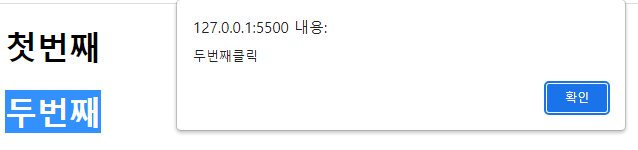
- 자바스크립트로 태그의 프로퍼티에 함수를 넣을 때에는 실행결과 (예로들어서 alert)로 사용하면 안되고
실행을 할 수 있는 함수 () => alert(...)를 대입해야 한다.
<body>
    <h1 id="third">세번째</h1>
    <script>
        const third = document.querySelector("#third")
        third.onclick = () => {
            alert("세번째클릭");
        }

        // third.onclick = alert("세번째클릭"); 이렇게 사용하면 안된다

    </script>
</body>
이벤트리스너 방식
- addEventListener는
첫번째 매개변수가 on이 빠져있는 이벤트이름
두번째 매개변수가 실행을 할 수 있는 함수
- 이벤트 리스너는 여러개가 달릴 수 있다
    <script>
        const fourth = document.querySelector("#fourth");
        fourth.addEventListener("click", ()=>{
            alert("네번째클릭")
        });


        // 이벤트 리스너는 여러개가 달릴 수 있다
        fourth.addEventListener("click", ()=>{
            alert("네번째클릭2")
        });


        // 이벤트 리스너는 여러개가 달릴 수 있다
        const clickEvent = ()=>{
            alert("네번째클릭3")
        }
        fourth.addEventListener("click", clickEvent);

    </script>
기능 없애기
- 프로퍼티를 null로 만들면 기능을 없앨 수 있다
- 특정 이벤트 리스너를 삭제할 수 있다
        const third = document.querySelector("#third")
        third.onclick = () => {
            alert("세번째클릭");
        }

        // 프로퍼티를 null로 만들면 기능을 없앨 수 있다
        third.onclick = null;

        // 이벤트 리스너는 여러개가 달릴 수 있다
        fourth.addEventListener("click", clickEvent);
        // 특정 이벤트 리스너를 삭제할 수 있다
        fourth.removeEventListener("click",clickEvent);
'프로그래밍 언어와 기술 > JavaScript' 카테고리의 다른 글
| [JavaScript] localStorage (0) | 2023.07.12 |
|---|---|
| [JavaScript] 키보드 이벤트 (0) | 2023.07.12 |
| [JavaScript] 스타일 변경 (0) | 2023.07.12 |
| [JavaScript] 태그 넣기, insertAdjacentHTML (0) | 2023.07.12 |
| [JavaScript] 태그, onclick, 새로운변수 (0) | 2023.07.12 |